D5render keeps crashing.
I’m working with Archicad 29 and the latest version of D5render.
Even if I just open D5render and do nothing, after a few minutes the programme simply crashes. (no freeze…)
If I open D5render, make a small change to the project and save it, then close the programme, shortly afterwards I get a message from Archicad saying “D5 Render has not been started” and Archicad crashes afterwards.
Does anyone have any idea what the problem might be?
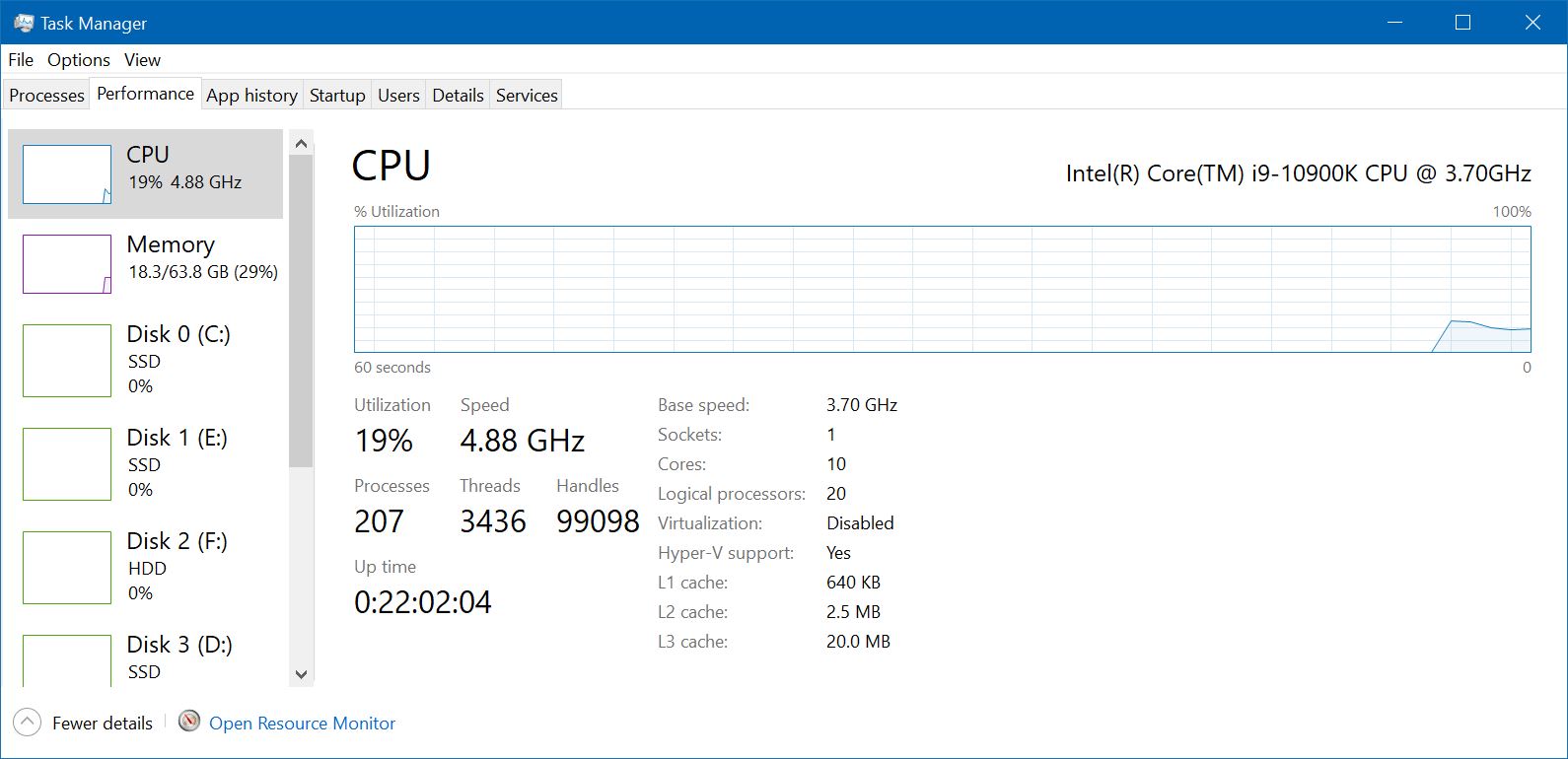
Are you on Windows 10 or 11? Is it possible for you to post a screen shot of Task Manager: Performance: CPU?
Should look something like this:
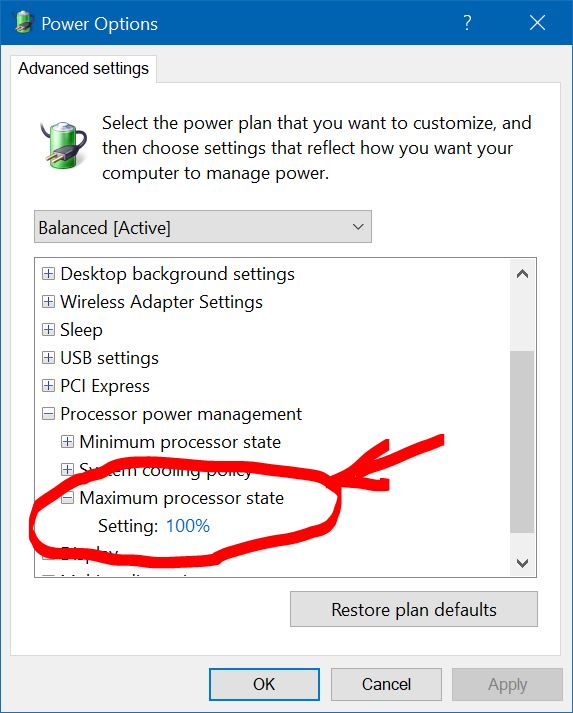
Long story short. You can try going into your BIOS and turning of Turbo Mode under CPU power management but you can also try modifying your Power Plan by turning down your Maximum Power State to 99%. I have it currently set to 100% since I’m experimenting with my BIOS settings as it relates with D5 crashes. Which BTW are absolutely random on my end.
Anyway, look here and set this to 99% and see what happens.
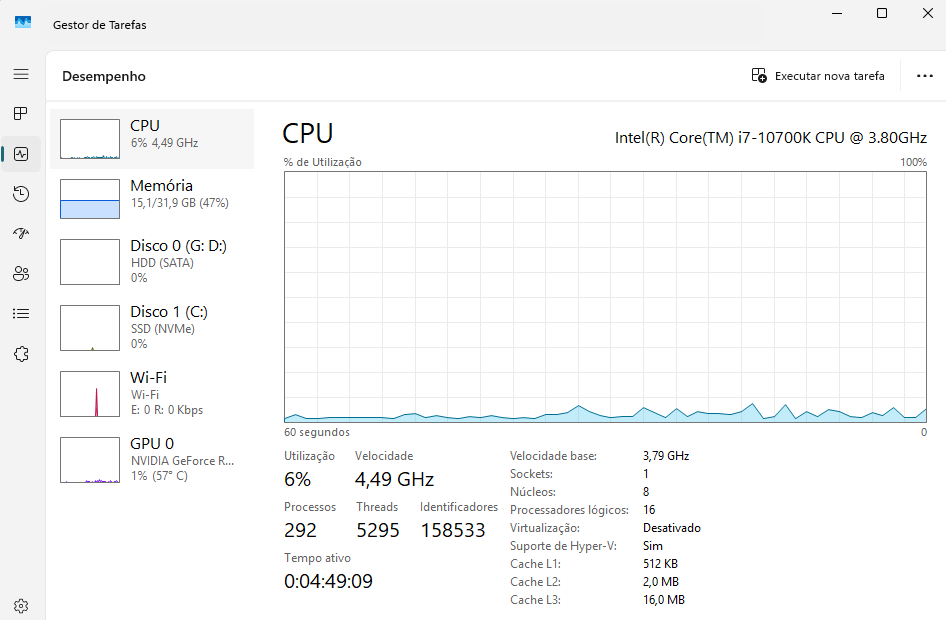
OK. Since your CPU is showing 4.49Ghz it looks like you’re running in Turbo Mode. Try adjusting your power plan as I show but with the CPU at 99%. If that doesn’t work you’ll have to try shutting off Turbo Mode in your BIOS.
2 Likes
Turbo mode off…problem solved. Thank you very much for the help.
1 Like
You’re welcome, Patricio. Glad to help.
1 Like