Hi everyone,
I have a question about the D5 Render toolbar inside SketchUp.
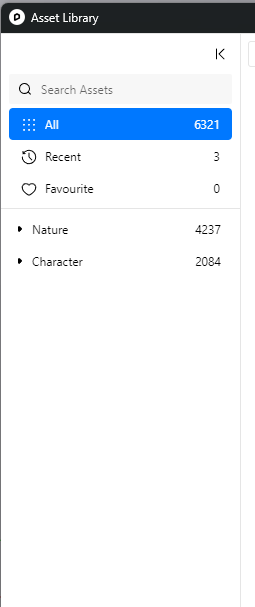
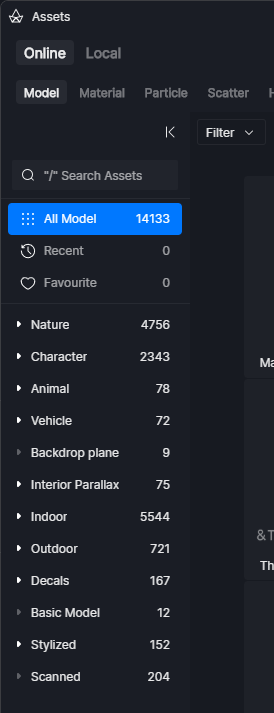
When I access the Assets button directly from the D5 Render toolbar in SketchUp, the asset library shows fewer models than when I access the asset library inside D5 Render itself.
Is there any plan to make the asset library available through the SketchUp toolbar match the full asset library inside D5 Render?
I would also like to suggest adding this same Assets button to the D5 toolbar for 3ds Max.
I really like using the Assets button inside the SketchUp toolbar because, when I place an asset this way, it appears directly inside my SketchUp model. However, when I insert the object directly inside D5 Render, it does not appear in my SketchUp model, and that becomes a problem for my workflow.
Thank you!
D5 asset library:
Asset Library in SketchUp Toolbar: