D5 Render Version:
Graphics Card:
Driver Version:
Issue Description:
LiveSync Setup didnt find any ArchiCad to intall the Addin. I also tried a silent Installation, same Problem.
Screenshots/Videos Description:
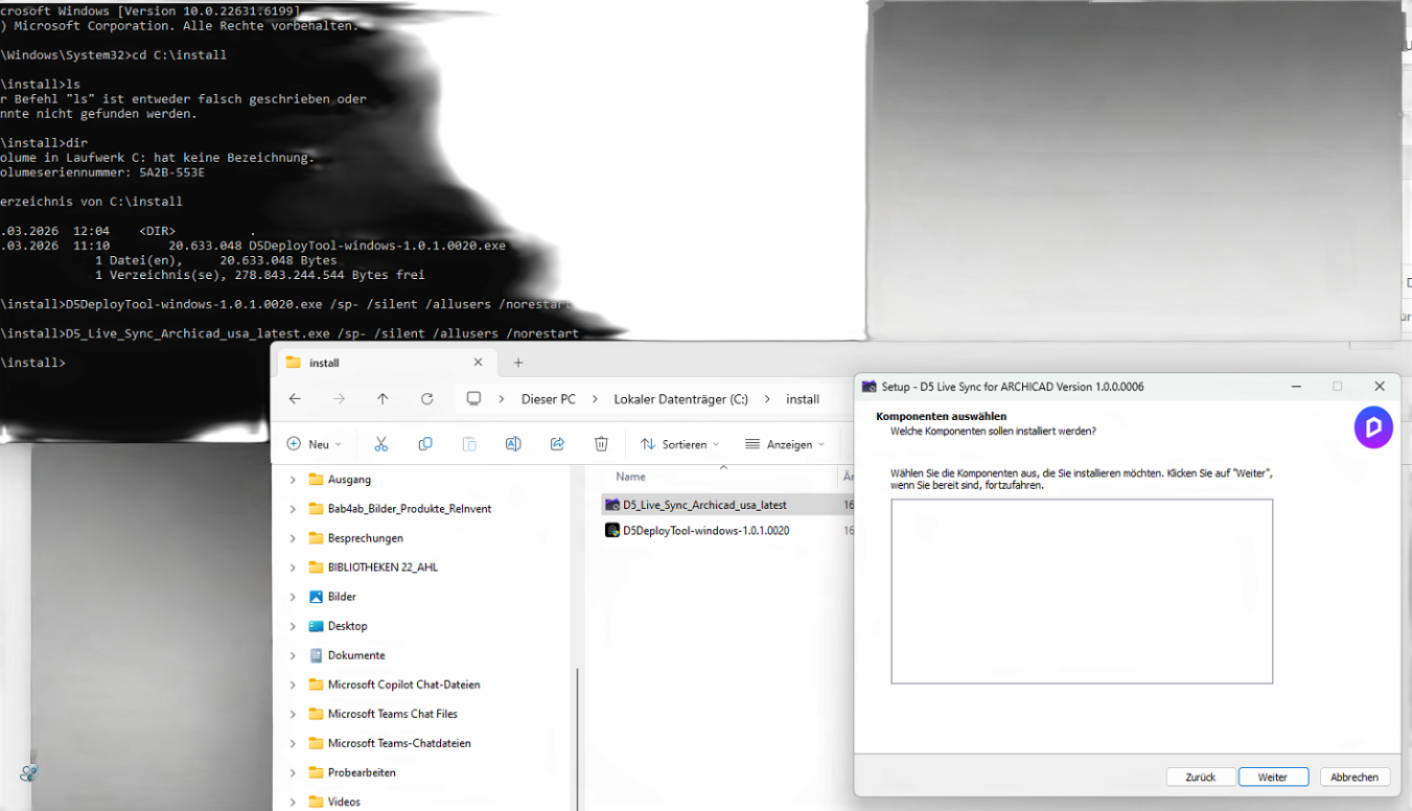
Steps to Reproduce (optional):
D5 Render Version:
Graphics Card:
Driver Version:
Issue Description:
LiveSync Setup didnt find any ArchiCad to intall the Addin. I also tried a silent Installation, same Problem.
Screenshots/Videos Description:
Hi @frey
It looks like the LiveSync installer cannot detect your Archicad installation, which is why the add-in list is empty.
To help us check this properly, could you confirm a few things:
Hi @ela ,
we are currently using multiple Archicad versions (22–28), and in many cases several versions are installed on the same PC.
Archicad is installed in the default directory (C:\Program Files\GRAPHISOFT…), and it has been opened and actively used on this machine.
Regarding the plugin: I could not find version-specific downloads for Archicad. On the D5 website there is only a single installer available:
So I assume the installer should detect and support multiple Archicad versions automatically — but in our case, no installation is detected and the add-in list remains empty.
Let me know if I might be missing something or if there is a way to manually point the installer to the Archicad installations.
Thanks!
Hi @frey
Thank you for the detailed information, and apologies for the inconvenience caused. The latest LiveSync version supports Archicad 21–29, so your installed versions should be supported.
To help us diagnose the issue, could you please:
Thanks in advance and I look forward to your response.