**Theme:consistancy
**Artist:jskup
**Graphics Card:rtx 3060
**Workflow:sketchup
**Brief description of post-processing: no post processing
**Whether the model is original: yes
**Description of the work:
Hello,
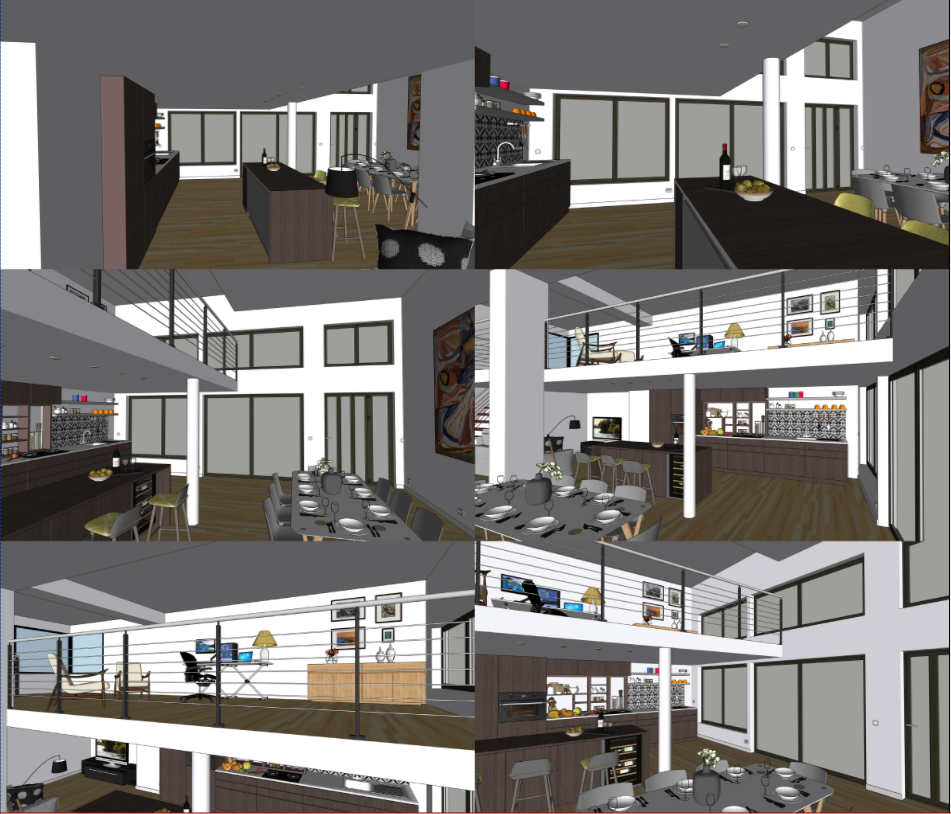
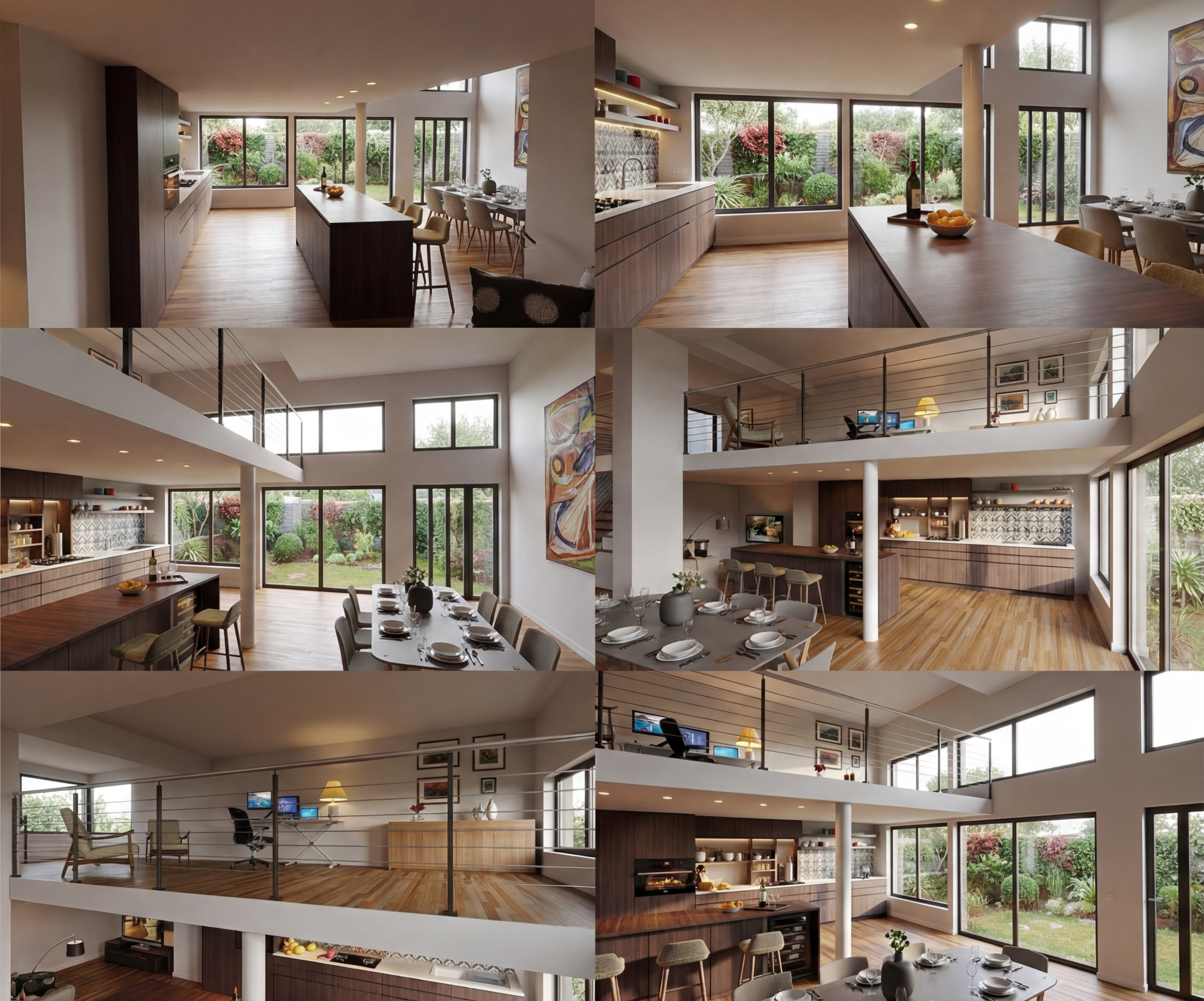
I’m testing how to generate multiple views of the Sketchup model that are consistent with D5 Lite. The trick is to import a single image from a “montage” of several raw scenes into Sketchup. There are some errors, but it’s not too bad.
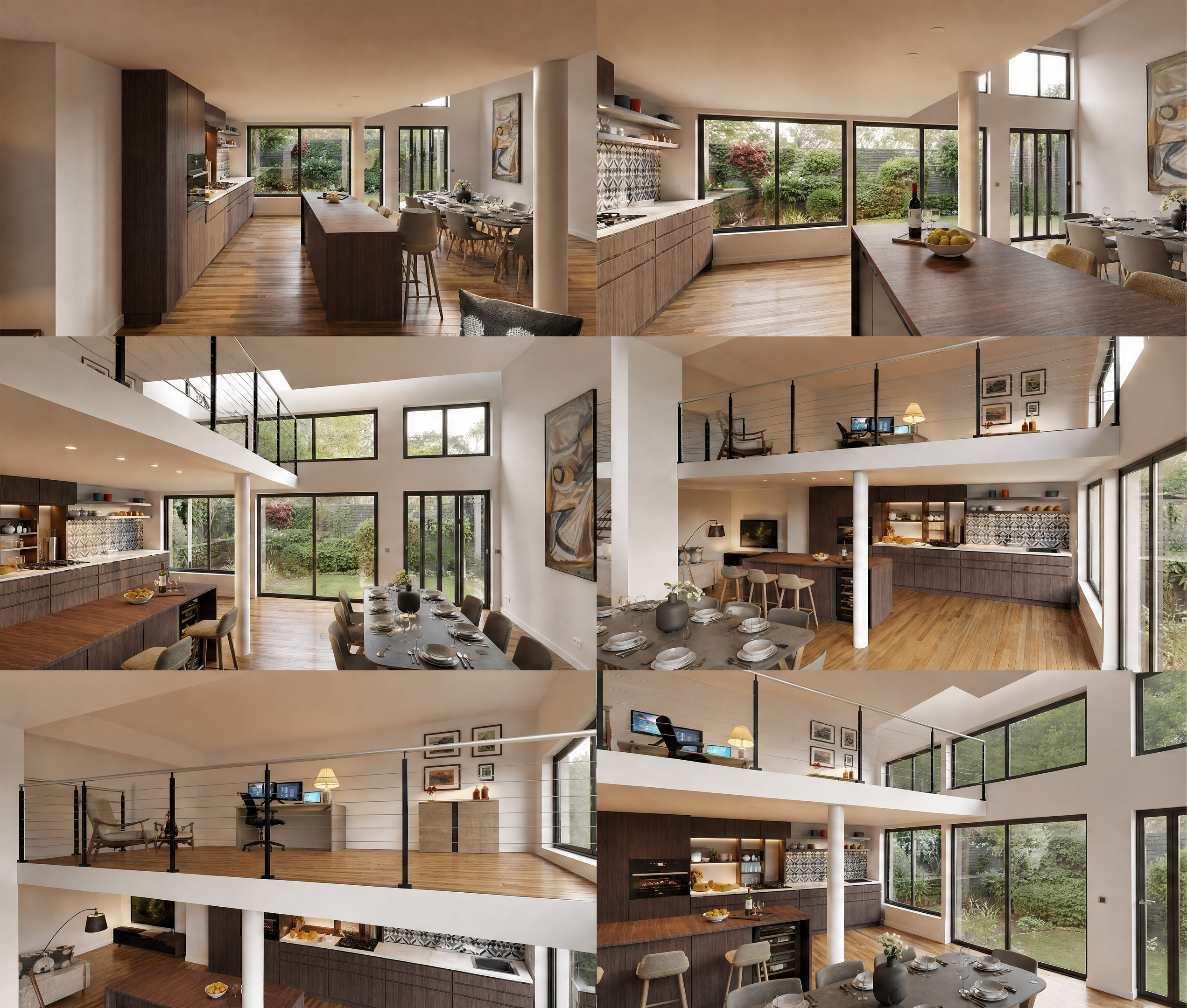
However, I initially tested with Open AI; it’s more complicated but produces better, sharper renderings, despite a lower resolution.
But I should mention that I was able to feed Open AI a very high-resolution image…
raw sketchup strting image
D5 Lite result
Open Ai result
4 Likes
… Hmmm… I like the renderings from D5 Lite better!
Is it just me?
Bye
Andreas
Maybe, but it’s unclear… unusable for a client. That’s the whole problem. So my workaround isn’t viable with D5 Lite. If you have any other ideas…
Did you zoom in both images?
Yes, I zoomed in on both images.
The rendering from D5 Lite isn’t as sharp.
That’s exactly what I prefer.
Also, some windows are missing in the OpenAI rendering.
Then there are openings in the ceiling that aren’t present in the D5 Lite rendering.
Or is the design different?
D5 Lite is incredibly faithful to geometry; it’s incomparable. It’s trained for that.
But AI-powered rendering solutions with consistency across multiple viewpoints are within reach. Professional companies are working on them; I hope D5 will be among the first…