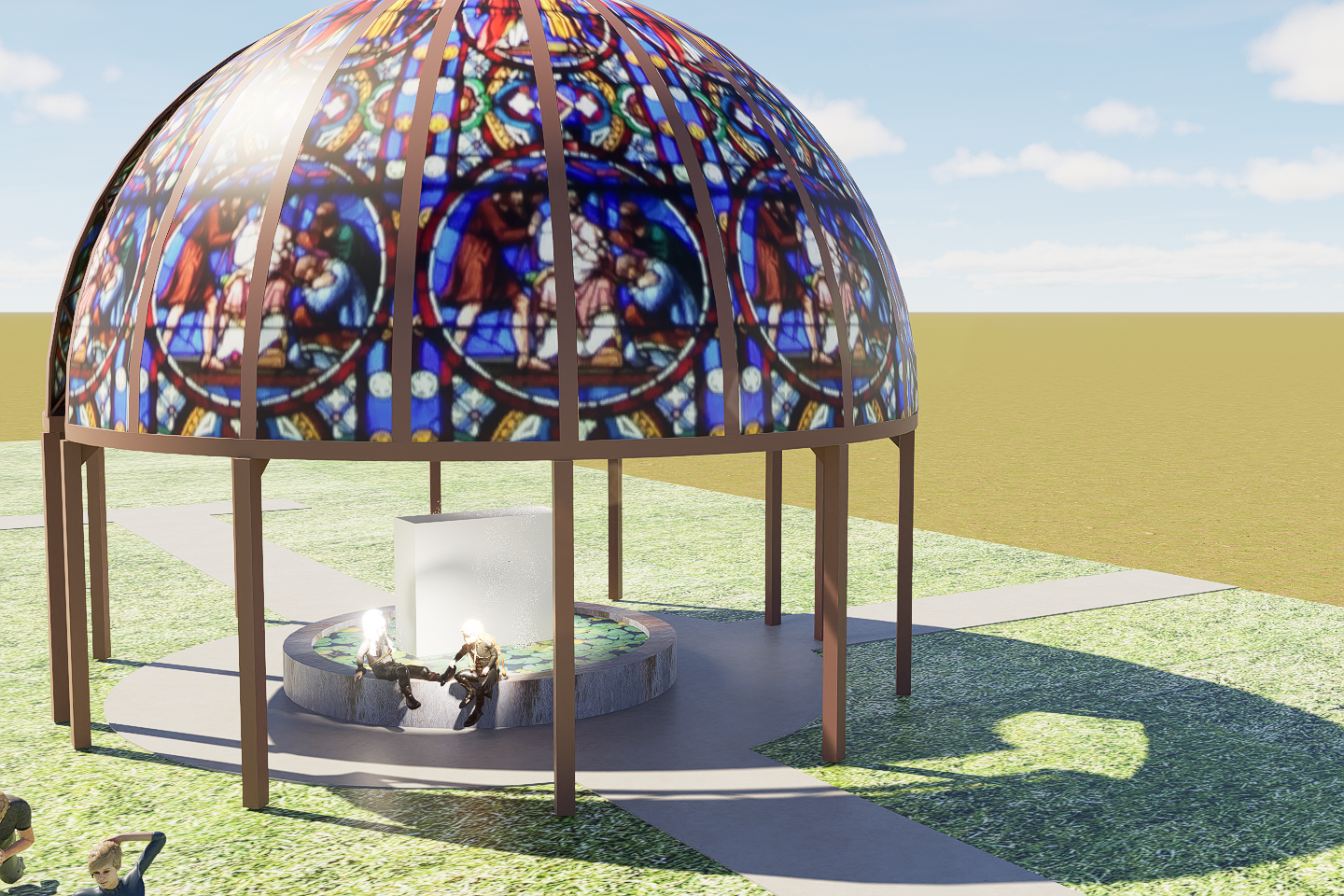
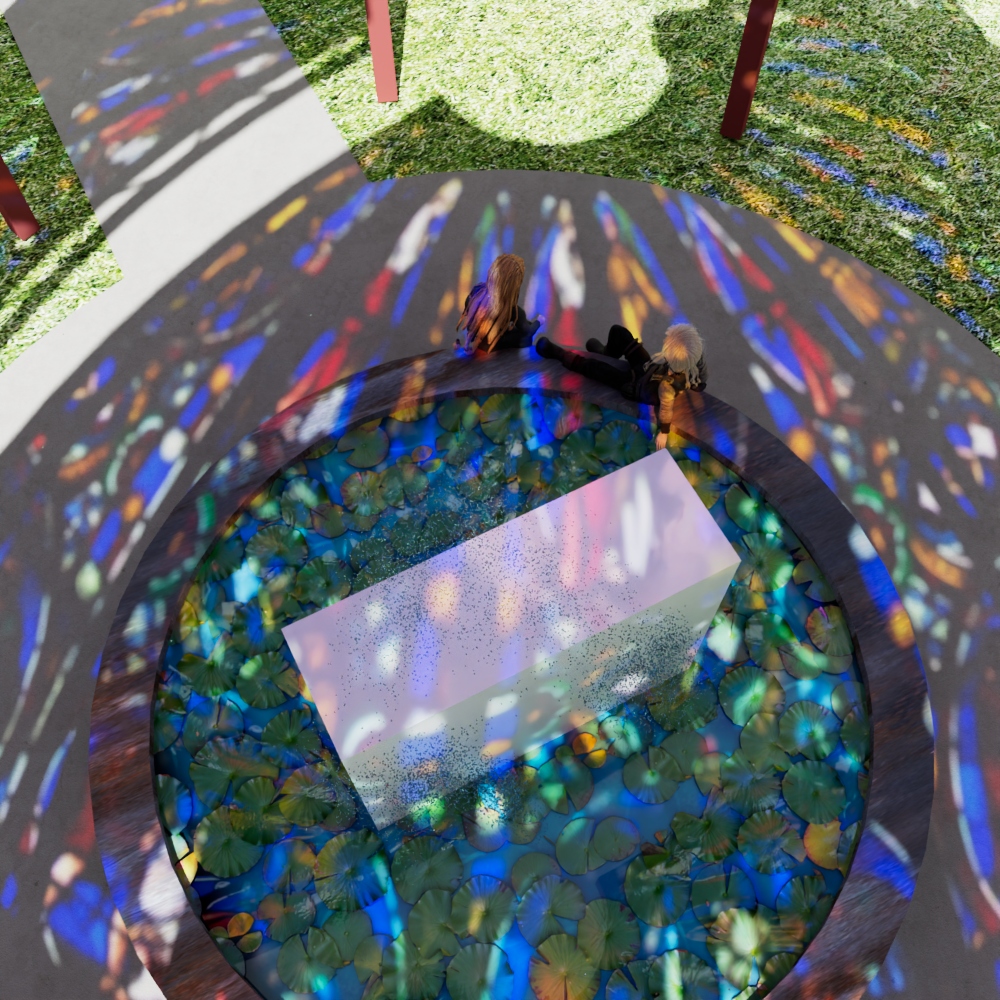
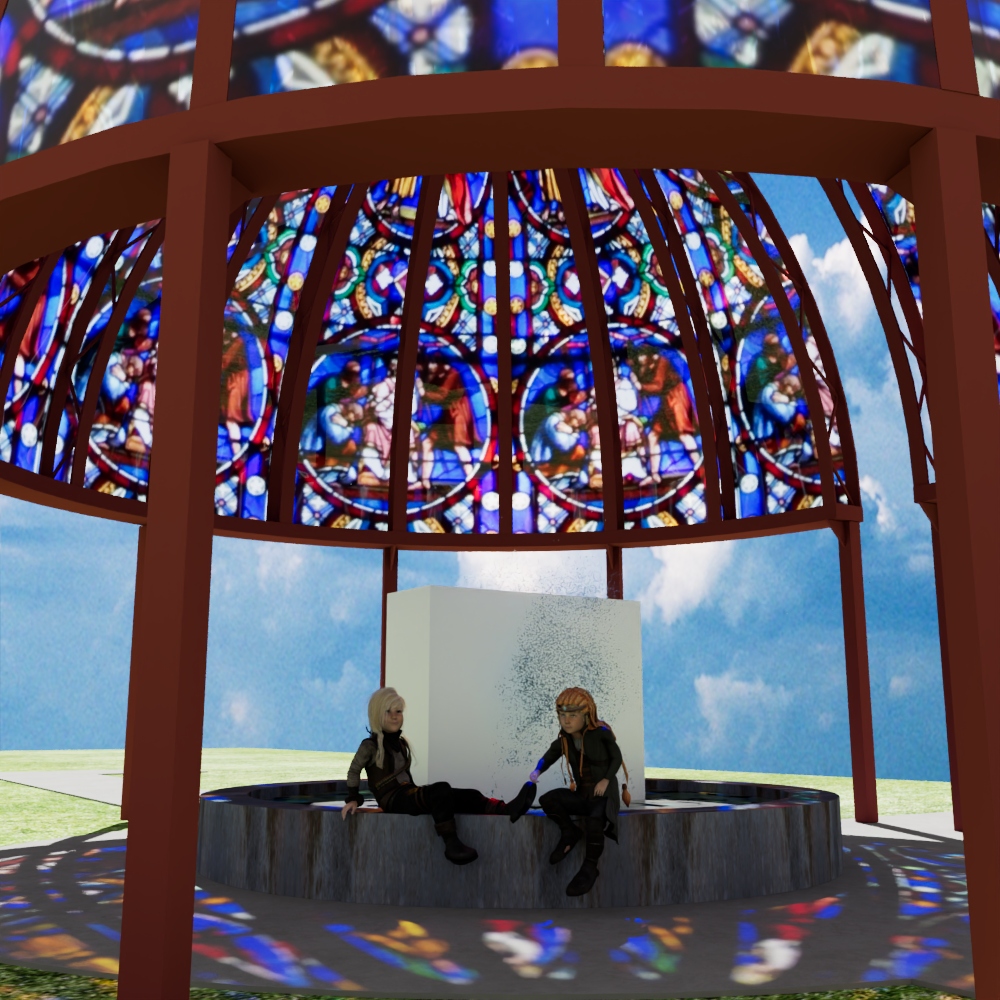
In Max, i can create stained glass that is pretty opaque while still letting light through to color the surface below. In D5, the only way i’ve found to get the light to color the surface below is to slap an asset “curtain wall” material onto the stain glass and place the stainglass map into the main color slot. BUT…the glass is now very transparent thanks to the curtain wall settings. I’ve tried every adjustment with no success. See the images attached. The two max ones show the stainglass opaque while still letting light through. The D5 image shows the way it comes into D5 with no light striking the ground. Any suggestions?
Hi @meah2016
The stained glass looks like a PNG image that was attached in the dome. I’m not sure if that’s really the case, but based solely on the image you provided, it does look like a 2D image.
-
I tried it on my end with individually modeled glass and had them simulate a stained glass effect by changing their colors. It does work normally.
-
You may also try using our Multi-colored glass material, then change the base color map according to your preference.
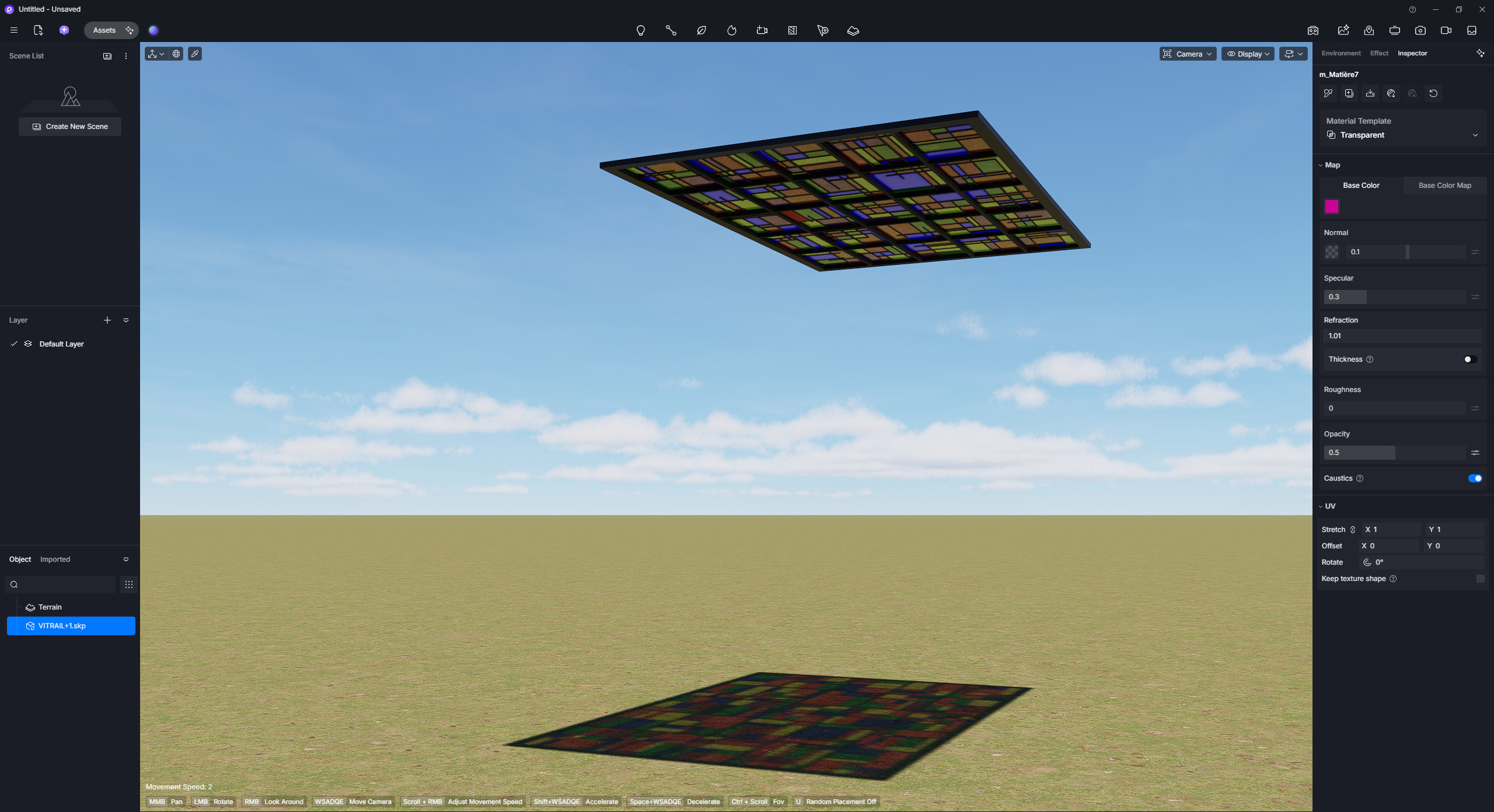
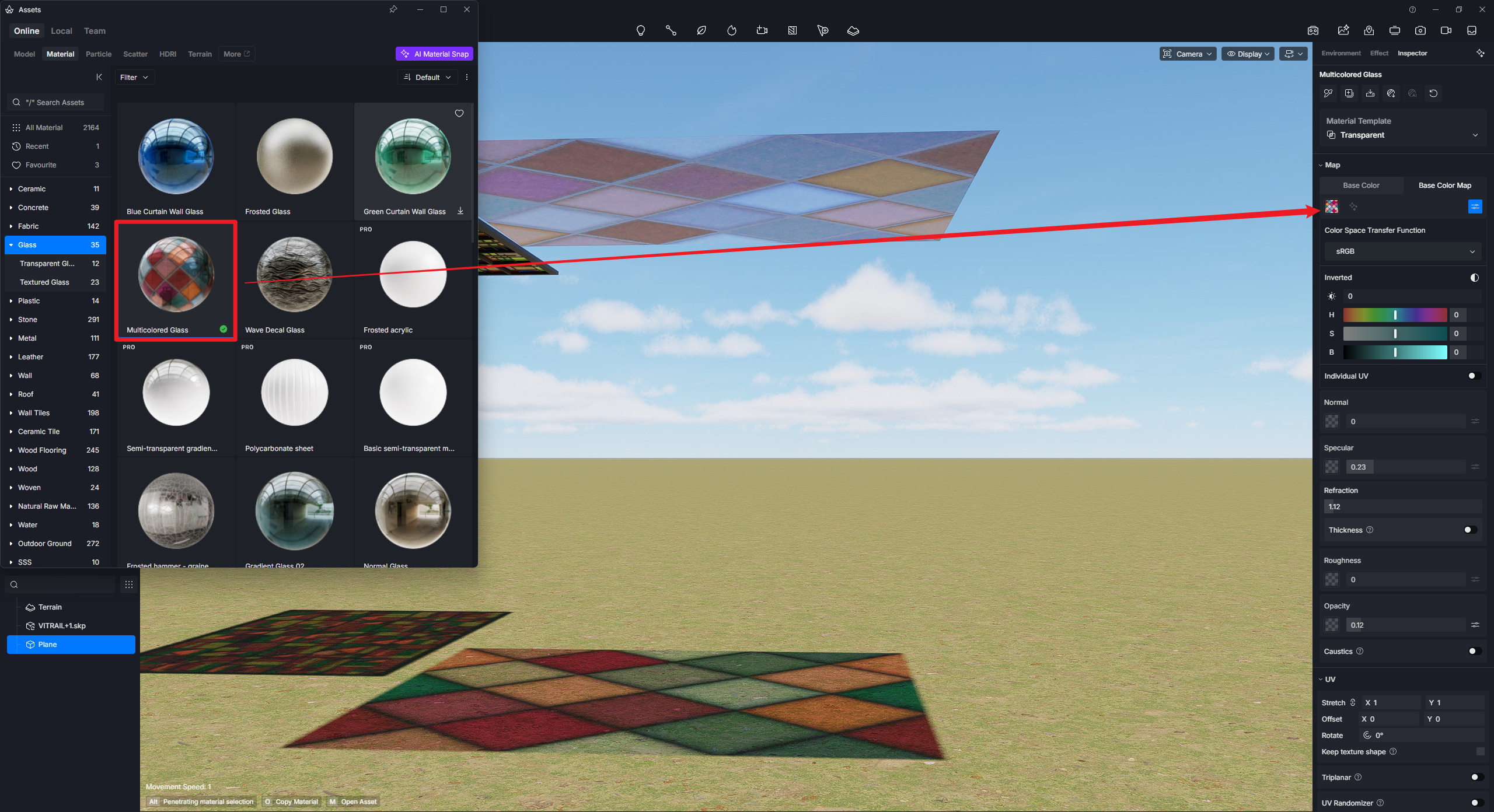
I tried the multi-colored glass material but it puts out its color, not the color of the mapped stain glass. And yes, the stained glass image is a png captured from a church. In Max i can get the png image to project color onto surfaces below. In D5, it doesn’t. Churches have painted stained glass. Individual stained glass pieces are one thing but the painted church stained glass is an entirely different animal.